

Clinics and satellite offices live or die by consistency. When one site has slow laptops, another has mismatched monitors, and a third uses different peripherals, productivity- drops and support tickets rise. The fix is not buying the most expensive gear. It is building a repeatable, supportable standard that can be deployed quickly across locations.
This guide breaks down how compact workstation kits simplify rollouts, reduce downtime, and help teams stay secure and productive, even when staffing, space, and schedules are tight.
Why Standardisation Matters More in Distributed Clinics
Standardising IT for clinics and satellite offices is one of the fastest ways to eliminate the “every location is different” problem that drains time from IT and frustrates frontline staff. When systems behave the same everywhere, people can move between sites without re-learning a workstation and support teams can troubleshoot faster.
Consistency Reduces Training Time and Errors
Frontline roles do not have time to hunt for settings, deal with different keyboard layouts, or figure out where the right port is. A standard setup makes processes repeatable. That reduces small errors that cause larger workflow delays, especially during patient intake, scheduling, claims, and back-office coordination.
Predictable Performance Prevents Peak-Hour Breakdowns
Performance issues rarely happen at convenient times. They show up during peak traffic when staff are multitasking and systems are under load. A standard hardware baseline, consistent storage performance, and predictable peripherals keep work moving when it matters most.
Support Becomes Faster With Fewer Unknowns
When every site uses the same kit, IT teams can carry fewer spare parts, create simpler documentation, and resolve issues more quickly. Standardisation turns troubleshooting from detective work into a repeatable process.
What a “Compact Kit” Should Actually Include
Standardising IT for clinics and satellite offices works best when the kit contents match real workflows, not generic office assumptions. The goal is a compact footprint that still delivers comfort, clarity, and reliable daily performance.
Right-Sized Screens for Real Work
Small laptop screens can slow down clinical documentation, scheduling, and admin tasks. A business-class external monitor improves readability and reduces fatigue. When staff can see more at once, they click less, switch windows less, and make fewer mistakes.
Business-Class Hardware With SSD Speed
Compact kits should prioritize responsive boot times, stable multitasking, and a reliable daily experience. SSD storage is a baseline requirement for modern workflows because it reduces lag and shortens “dead time” during start-up and application load.
Practical Audio for Calls, Training, and Virtual Meetings
Many satellite sites rely on remote support, virtual huddles, and training calls. A consistent USB headset experience improves call quality, reduces background distractions, and makes remote collaboration easier across every location.
Deployment Playbook for Multi-Site Rollouts
Standardising IT for clinics and satellite offices becomes dramatically easier when you treat deployment like a repeatable rollout, not a one-off purchase.
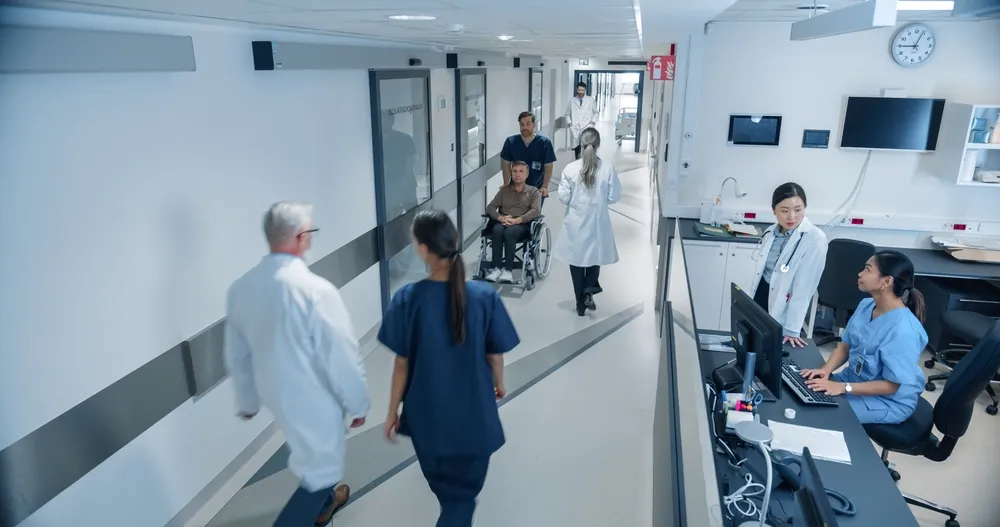
The best results come from a simple playbook that covers imaging, labeling, and go-live steps.
Build a Role-Based Image Once
Create one standard software image per role, such as reception, clinicians, billing, or office admin. Keep the essentials consistent: security tools, browser setup, shortcuts, printing configuration, and baseline apps. When images are consistent, replacements and new hires become far easier to handle.
Label, Asset-Track, and Document the Setup
Every kit should be trackable by location, user role, and asset ID. Document the exact kit configuration and include quick-start instructions for staff. Simple documentation reduces the number of “how do I connect this” tickets during deployment week.
Plan a Swap-First Support Approach
When a device fails at a satellite office, the fastest fix is often a swap, not on-site repair. Keep a small spare pool of ready-to-deploy units. When staff can swap and resume work quickly, you prevent service disruption and protect patient experience.
Kit Spotlight: Invicta PCs Kit 4 for Clinics and Satellite Offices
Standardising IT for clinics and satellite offices is easier when you can deploy a compact, consistent bundle that is built for flexibility and quick setup. Invicta PCs Kit 4 is designed to support day-to-day office and clinical workloads in smaller spaces, while staying portable enough for changing needs.
What’s Included in Kit 4
Kit 4 includes a refurbished business-class laptop built on enterprise-grade hardware from leading OEMs. It comes equipped with an SSD for quick boot times and smooth performance, and it includes integrated Wi-Fi for flexible placement and mobility across rooms or sites.
The kit also includes one refurbished business-class monitor, typically 22″ to 27″, with crisp resolution and an adjustable stand for better ergonomics and comfortable viewing at the desk.
For communication and training, Kit 4 includes a new USB headset that delivers clean, clear audio with plug-and-play simplicity for calls, virtual meetings, and remote support sessions.
Webcam, keyboard, and mouse are intentionally not included in the standard Kit 4 configuration, but they can be added as options when your workflow requires them.
Who Kit 4 Is Best For
Kit 4 fits roles that need a reliable “desk plus mobility” setup without the footprint of a full desktop station. It is a strong match for satellite office admins, floating clinicians, shared hot desks, and smaller clinic rooms where you want a consistent screen and audio experience without overbuilding the workspace.
Security Consistency Across Locations Without Slowing Work
Standardising IT for clinics and satellite offices should strengthen security while keeping workflows smooth.
Consistency helps you enforce policy without relying on each location to “do it their own way.”
Encryption and Policy Baselines
Devices should be deployed with encryption enabled and a consistent security baseline. That way, if a laptop moves between sites or is temporarily assigned to another team, you are not introducing risk through inconsistent setup.
Predictable Updates and Maintenance Windows
Satellite offices often cannot afford surprise restarts during operating hours. A consistent update schedule, managed patching, and planned maintenance windows protect both security and uptime.
Role-Based Access That Supports Speed
A good standard allows staff to do their jobs without unnecessary obstacles, while still limiting risky changes. Role-based access reduces accidental configuration drift and keeps systems stable long term.
Connectivity and Desk Ergonomics in Small Spaces
Standardising IT for clinics and satellite offices is not only about devices. It is also about how the workstation functions in a small, real-world room, where cable clutter, glare, and noise can quickly become daily annoyances.
Wi-Fi Reliability and Placement Planning
Compact sites often rely heavily on Wi-Fi. Ensure devices have stable connectivity in the actual working area, not just near a router in the hallway. If certain roles require more stability, plan for simple wired options where possible.
Monitor Positioning for Privacy and Comfort
In clinic settings, screen positioning is part of privacy. Angle monitors away from public sightlines and position them to reduce glare. Adjustable stands help staff maintain better posture across long shifts.
Clean Cabling for Faster Setup and Fewer Issues
A compact kit should not become a cable mess. Keeping connections simple reduces accidental unplugging, improves cleaning workflows, and speeds up desk resets for shared workstations.
Two Extras That Make Standardisation Stick Long Term
Standardising IT for clinics and satellite offices often fails when organisations deploy hardware but skip the operational layer that keeps everything consistent over time.

These two additions help protect the standard.
Create a “One-Page Standard” for Every Site
Document the standard kit, approved peripherals, and basic troubleshooting steps. Include what to do when something fails, who to contact, and how to swap equipment. A one-page standard reduces confusion and prevents “creative” local changes.
Keep a Refresh and Replacement Rhythm
Standardisation works best when hardware is refreshed on a predictable cycle. When devices age unevenly across sites, performance becomes inconsistent again. A planned refresh rhythm keeps experiences uniform and avoids emergency replacements.