
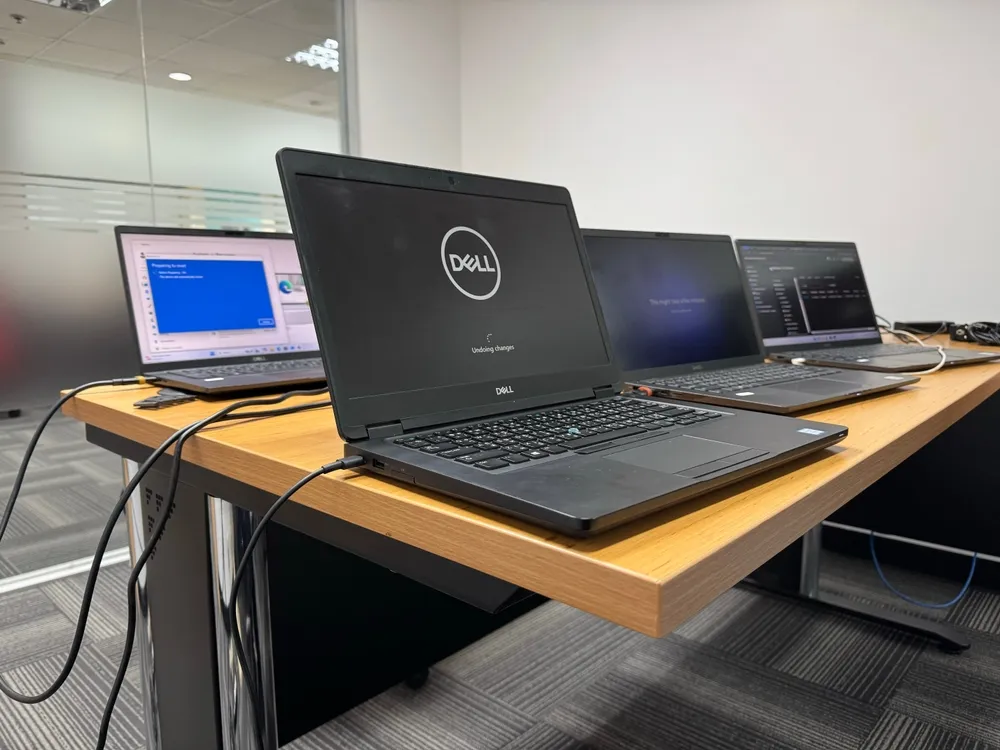
Buying refurbished devices can be a smart way to stretch your budget without settling for unreliable equipment. The key is knowing what to check before you pay, what to verify when the device arrives, and how to spot red flags that turn a “deal” into a headache.
This checklist-style guide walks you through the buying process in plain language so you can choose refurb hardware confidently—whether you’re shopping for a laptop for school, a desktop for work, or a fleet of systems for your business.
Start With the Right Definition of “Refurb Hardware”
Refurb hardware can be an excellent value, but only if you understand what “refurbished” means in the context of the seller you’re buying from and the condition standards they follow.

Refurbished vs. Used vs. Open-Box (Why the Label Matters)
“Used” often means the device is being sold as-is, with unknown history and limited or no testing. “Open-box” typically means it was returned shortly after purchase and may be closer to new, but still isn’t guaranteed to be fully validated. Refurb hardware should mean the system has been inspected, tested, cleaned, and brought back to a defined working standard. The problem is that some listings use “refurbished” loosely, so you want to look for proof of process: clear condition grading, test notes, and an actual warranty.
Manufacturer-Refurbished vs. Seller-Refurbished (What Changes for Buyers)
Manufacturer-refurbished devices are typically processed through a standardized program, often with consistent packaging and clearer documentation. Seller-refurbished devices can be just as good, but quality depends on the refurbisher’s testing discipline and replacement parts standards. When comparing refurb hardware from different sources, prioritize the seller that explains their refurbishment steps and stands behind the device after the sale.
Understanding Grades and Cosmetic Condition Without Guessing
Grades like “A,” “B,” or “C” usually describe appearance, not performance. Grade A often means minimal wear, Grade B may show noticeable cosmetic marks, and Grade C can include heavier scuffs or dents—while still functioning properly. A trustworthy refurb hardware listing explains what each grade means in plain terms, ideally with real photos of typical wear. If grading is vague or hidden behind marketing language, treat that as a caution sign.
Verify the Seller Like You’re Hiring Them
Refurb hardware is only as safe as the seller’s honesty and support, because your protection comes from their warranty, return policy, and willingness to resolve issues quickly.
Reputation Signals That Actually Matter
Look for seller transparency first. A legitimate business clearly shows who they are, how to contact them, where they operate, and what their support process looks like. Reviews help, but focus on patterns: Do customers mention smooth returns, responsive support, and devices that match the listing? With refurb hardware, the most meaningful “reputation signal” is what happens when something goes wrong—because even good refurbs can occasionally have issues.
Warranty and Returns: The Fine Print That Protects You
A real warranty is one of the biggest safety advantages of refurb hardware versus private-party used sales. Don’t just look at warranty length; read what it covers and what it excludes. Pay extra attention to batteries (often limited coverage), accidental damage (often not covered), and shipping responsibility for returns. A clear return window matters just as much, because it gives you time to test thoroughly. If a seller makes returns difficult, vague, or conditional on unrealistic requirements, it’s safer to shop elsewhere.
Ask for the Refurb Checklist (Testing and Parts Replaced)
The best refurb hardware sellers can explain their process without hesitation. Ideally, they can tell you what they tested (storage health, RAM stability, thermals, ports, display, keyboard), what they replaced (SSD, battery, fan, keyboard, charger), and what standard the device must meet to be sold. Even if you’re not technical, the presence of a documented process usually indicates higher consistency.
Match the Specs to Your Needs Before You Fall for a Deal
Refurb hardware becomes a great purchase when the specs match what you actually do day-to-day, not just what looks impressive on a listing.
CPU, RAM, and Storage: Choosing the Right Baseline
Start with your workload. For everyday browsing, email, and office apps, a solid modern CPU paired with enough RAM is what keeps things smooth. If you multitask heavily—lots of browser tabs, video calls, spreadsheets, creative apps—prioritize more RAM and a fast SSD over flashy extras. Many people overspend chasing a “bigger CPU” while ignoring the real bottleneck. The safest refurb hardware buys usually have balanced specs and room to upgrade later.
Batteries, Power Supplies, and Other Wear Items
Batteries naturally degrade over time, and that’s normal—even with refurb hardware. The safe approach is to treat battery condition as a known variable and confirm what the seller guarantees. Some sellers replace batteries; others test for minimum capacity. Either can be fine as long as it’s stated clearly. For desktops, the “wear item” is often the power supply and cooling: you want stable power delivery, clean airflow, and fans that don’t sound like a vacuum cleaner the moment you open a browser.
Ports, Screens, Keyboards, and “Annoyance Failures”
A laptop can be technically “working” while still being frustrating to use. Loose charging ports, inconsistent USB connections, flickering screens, sticky keys, and unreliable Wi-Fi cards are the kinds of issues that make refurb hardware feel risky. To buy safely, confirm the essentials you rely on: the exact ports you need, display size and resolution that fits your work, and keyboard layout that matches your preferences. If you’re buying for business use, consistency across devices matters even more than top-end specs.
Don’t Skip Security Checks (Refurb Hardware Shouldn’t Bring Risks Home)
Buying refurb hardware safely includes basic security hygiene, because you want a device you can trust, not just a device that turns on.
Storage and Data Safety: What You Should Expect (and Still Do Yourself)
A reputable refurbisher should clear storage properly, but you should still take ownership of your setup. The safest move for refurb hardware is to perform a clean operating system install or a verified “reset to factory” workflow, then run updates immediately. This reduces the chance of leftover accounts, unwanted software, or misconfigured settings. If you’re buying for a company, you’ll also want a consistent deployment process so every machine starts from the same clean baseline.
BIOS/UEFI Locks, Firmware Updates, and Hidden Access Issues
One of the most frustrating refurb hardware surprises is discovering a BIOS/UEFI password, firmware lock, or device-management restriction after you bring it home. Before purchase, ask the seller to confirm the system is free of BIOS passwords and not tied to any organization management profile. After arrival, check quickly that you can access firmware settings and that boot options work normally. This single step can save hours of troubleshooting.
Legit OS Licensing and “Too-Good-To-Be-True” Software Bundles
Be cautious of refurb hardware listings that promise expensive software “included” without any licensing details. The safest expectation is a clean operating system setup with proper activation and minimal unnecessary programs. If the device arrives with a cluttered system image, odd pop-ups, or unfamiliar “optimizer” tools, it’s a sign you should reset and install fresh before you put real accounts or sensitive work on it.
Confirm Exactly What’s Included and How It Ships
The “small details” can make or break a refurb hardware purchase, especially when you realize a missing charger or poor packaging turns a good deal into extra cost and risk.
Chargers, Adapters, Cables, and “Ready-to-Use” Claims
A listing can say “ready to use” and still be incomplete. For laptops, confirm the correct charger type and wattage is included. For desktops, confirm the power cable is included and that any Wi-Fi antennas or special adapters are present if the model needs them. With refurb hardware, missing accessories aren’t just annoying—they can lead to underpowered charging, poor performance, or avoidable troubleshooting.
Packaging Quality, Transit Risk, and Delivery Proof
Shipping is one of the biggest sources of damage for refurb hardware. Look for sellers who describe protective packaging, tracking, and a clear process if a device arrives damaged. When your device arrives, inspect the box immediately, take quick photos if anything looks crushed, and keep packaging until you’re sure you’re keeping the system. This isn’t paranoia—it’s practical insurance.
Payment Protection and Receipts You’ll Actually Need
Buying refurb hardware safely also means paying in a way that provides dispute protection if the product doesn’t match the listing. Keep a copy of your receipt and order confirmation, and make sure the invoice includes the device identity (model and serial or service tag when possible). If you ever need a warranty claim, those details turn a stressful situation into a straightforward one.
Sustainability and Responsible Sourcing (Buy Safer, Not Just Cheaper)
Refurb hardware can reduce electronic waste, but responsible sourcing also tends to correlate with better refurbishment discipline and more trustworthy handling practices.
Look for Responsible Processing Practices When Possible
Some refurbishers follow structured standards for handling, recycling, and reuse. While you don’t need to become an expert in certifications to buy safely, it’s worth favoring sellers who talk clearly about how they process equipment and what happens to parts that can’t be reused. In refurb hardware, professionalism often shows up in both the product quality and the business practices behind it.
Data Sanitization Discipline as a Quality Signal
Sellers who treat data sanitization seriously often treat hardware testing seriously too. That’s because both require repeatable processes, documentation, and accountability. When evaluating refurb hardware, ask how the seller ensures devices don’t ship with prior user data or configuration leftovers. Even a simple, confident answer is better than vagueness.
Circular Buying: Thinking Beyond the Price Tag
The safest refurb hardware purchase is the one you can keep in service longer. Longevity comes from choosing models with good build quality, common replacement parts, and upgrade potential. If you plan to keep a device for several years, spending slightly more on a better platform can be both safer and cheaper in the long run.
Total Cost of Ownership and Upgrade Planning
Refurb hardware is safest when you budget for the full lifecycle: performance today, small upgrades tomorrow, and realistic maintenance over time.
Upgrade Paths That Matter Most (RAM and SSD First)
For many systems, upgrading RAM or moving to a higher-quality SSD changes the experience dramatically. Before buying refurb hardware, confirm the device allows upgrades and that parts are accessible. A laptop with soldered RAM might still be a good buy, but only if it already has enough memory for your needs. The safest approach is buying a system that won’t require a major workaround to stay fast.
Budgeting for Wear Items and Future Repairs
Even good refurb hardware may need a battery replacement, a new charger, or a fan cleaning down the road. Planning for those costs makes the purchase feel stable instead of surprising. If a price is extremely low, ask yourself what might be missing: short warranty, poor battery, unknown SSD health, or weak support. A “safe deal” is usually the one that still makes sense after you factor in realistic upkeep.
Compatibility, Support Windows, and Driver Availability
A great price doesn’t help if your apps or peripherals won’t cooperate. Before buying refurb hardware, confirm compatibility with the operating system you plan to use, and consider whether the device is modern enough to receive updates smoothly. For business environments, consistency matters: choosing the same model line can simplify drivers, docking, and support across your team.
The 15-Minute Day-One Test to Validate Your Refurb Hardware
The best time to catch problems is immediately, while your return window is open and documentation is easy.
Physical Check and Quick Functional Scan
Start simple. Check the screen for obvious flicker or dead zones, test the keyboard and trackpad, and confirm the hinge feels stable. Plug in the charger and make sure charging is consistent. Test the ports you care about most—USB, HDMI, audio, SD reader—because port issues are common and easy to miss if you don’t check early. A safe refurb hardware purchase should pass these basics without excuses.
Basic Performance and Stability Checks (No Geek Skills Required)
Open several apps, stream a video, and do a short video call test if that matters to you. Listen for loud fan noise and check whether the system stutters under normal use. Restart the device and confirm it boots cleanly without error messages. You’re not trying to “stress test” like an engineer—you’re simply verifying the refurb hardware behaves like a dependable daily machine.
Document Everything for Returns or Warranty
If something seems off, take a photo or short video and write down what you noticed. Save the order number and device identifiers. Clear documentation speeds up support and keeps the process objective. This one habit makes refurb hardware buying feel safer because you’re prepared if you need to use the return policy.