

Buying a used laptop computer can be a great way to save money without sacrificing performance. However, it’s essential to ensure that the laptop you’re purchasing is in good condition and will meet your needs. While used laptops offer significant cost savings, they can also come with risks if not carefully inspected. In this guide, we’ll walk you through the top seven things to check before buying used laptop computers to ensure you get the best deal without any surprises.
1. Check the Laptop’s Overall Condition
Before diving into specifications or performance, the first thing you should evaluate is the physical condition of the used laptop computer.

Inspect for Physical Damage
Look for any visible signs of damage, such as cracks, dents, or deep scratches on the laptop’s exterior. While some minor wear and tear may be expected in a used laptop, extensive damage can indicate rough handling, which could affect internal components.
Test the Keyboard and Trackpad
Ensure that all keys on the keyboard are responsive and not sticky or unresponsive. Test the trackpad to make sure it’s functional and smooth, as this will be essential for day-to-day usage.
2. Verify the Laptop’s Battery Life
The condition of the battery is crucial when purchasing a used laptop computer since battery replacement can be costly and inconvenient.
Check the Battery Health
Ask the seller about the battery’s age and performance. Many laptops have a built-in battery health checker, which can show the number of charge cycles the battery has gone through. A battery that has gone through many cycles may not hold a charge as effectively and may need to be replaced soon.
Evaluate Battery Longevity
Ideally, look for used laptop computers that still offer a good amount of battery life. While battery health can be improved by a replacement, choosing a laptop with a well-maintained battery will save you money and hassle in the short term.
3. Check the Laptop’s Processor and RAM
Performance is one of the most critical factors to assess when buying used laptop computers. The processor (CPU) and memory (RAM) will largely determine how smoothly the laptop runs.

Determine Processor Performance
Check the processor specifications to ensure the laptop has enough power for your tasks. A laptop with at least an Intel Core i5 or equivalent processor should suffice for most tasks, including web browsing, word processing, and light multitasking. For more demanding tasks, such as video editing or gaming, look for an Intel Core i7 or i9 processor.
Evaluate RAM Capacity
For optimal performance, choose a used laptop computer with at least 8GB of RAM. If you plan to run multiple applications simultaneously, or use heavy software like graphic design tools or video editing programs, 16GB or more is ideal.
4. Examine the Storage Capacity and Type
Storage is another essential consideration when choosing a used laptop computer. Depending on your usage, you’ll need to ensure that the laptop offers enough space for your files, applications, and media.
Check the Storage Capacity
Ensure the laptop offers sufficient storage for your needs. A 256GB solid-state drive (SSD) is a good starting point for most users, offering a balance of capacity and speed. However, if you have extensive media files, a 512GB or larger storage option might be necessary.
SSD vs. HDD
It’s recommended to choose a used laptop computer with an SSD rather than a traditional hard disk drive (HDD). SSDs are faster, more reliable, and consume less power, making them a better choice for both performance and longevity.
5. Assess the Screen Quality
The quality of the laptop’s display is another key factor, especially if you’ll be using it for long hours of work or studying.

Check for Screen Brightness and Clarity
Inspect the screen for any dead pixels, discoloration, or screen flickering. A good screen should be bright and clear without visible marks or smudges. If the laptop is used for tasks like design or video conferencing, a higher resolution screen (1080p or higher) is recommended.
Consider the Screen Size
Screen size is a matter of personal preference, but it also depends on how you intend to use the laptop. A 13-inch screen is compact and portable, while a 15-inch or larger display offers more screen real estate for multitasking and studying.
6. Check the Laptop’s Ports and Connectivity
When buying a used laptop computer, ensure that the laptop has all the necessary ports and connectivity options to meet your needs.
Test the USB, HDMI, and Audio Ports
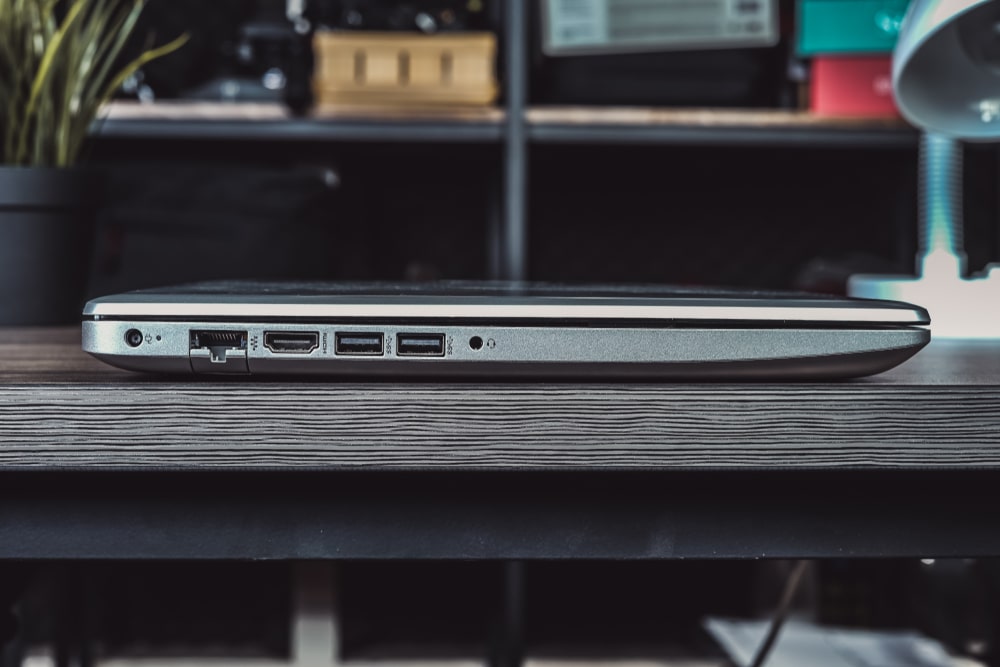
Ensure that all USB ports (Type-A and Type-C), HDMI, and audio jacks are working correctly. These are important for connecting peripherals such as external drives, monitors, or speakers. A faulty port can significantly reduce the laptop’s functionality.
Verify Wi-Fi and Bluetooth Connectivity
Test the laptop’s Wi-Fi connection and Bluetooth functionality. A used laptop computer should support the latest Wi-Fi standards (Wi-Fi 5 or Wi-Fi 6) and Bluetooth for seamless connectivity with other devices.
7. Review the Laptop’s Warranty and Return Policy
When purchasing used laptop computers, it’s crucial to verify the warranty and return policy offered by the seller.
Warranty Coverage
Check if the laptop comes with a warranty and for how long. Many reputable sellers offer a limited warranty on refurbished used laptop computers, which can give you peace of mind in case there are any issues after purchase.
Return Policy
Review the return policy to understand your options if the laptop doesn’t meet your expectations. A flexible return or exchange policy is important, especially when buying used laptop computers, to ensure you’re not stuck with a product that doesn’t work properly.
Additional Considerations When Buying Used Laptop Computers
There are other aspects to consider when purchasing used laptop computers to ensure you make the most of your investment.
Brand Reputation and Durability
Choose used laptop computers from reputable brands like Dell, Lenovo, HP, or Apple, which are known for their durability and performance. These brands also tend to have better availability of parts for future repairs or upgrades.
Software and Security Updates
Ensure the laptop is capable of running the latest operating system and software updates. Check if the previous owner has properly wiped the system to protect your privacy and if the laptop is up-to-date with security patches.